
Email Deliverability Testing Tools for Retail Brands 2024
Test email deliverability for retail brands in 2024 with real inbox placement analysis. Reduce bounces, avoid filters, and boost inbox placement with proven too
Why Inbox Placement Matters More Than Ever in Retail Email 2024
You sent the campaign. The design was perfect. The offer was irresistible. But your customers never saw it. Not because they weren’t interested—because your email never made it past the filter.
In 2024, inbox placement isn’t just a technical afterthought. It’s the difference between a sale and silence. Retail brands lose up to 20% of potential revenue when emails land in spam folders or get blocked entirely due to sender reputation, filtering policies, or poor deliverability hygiene.
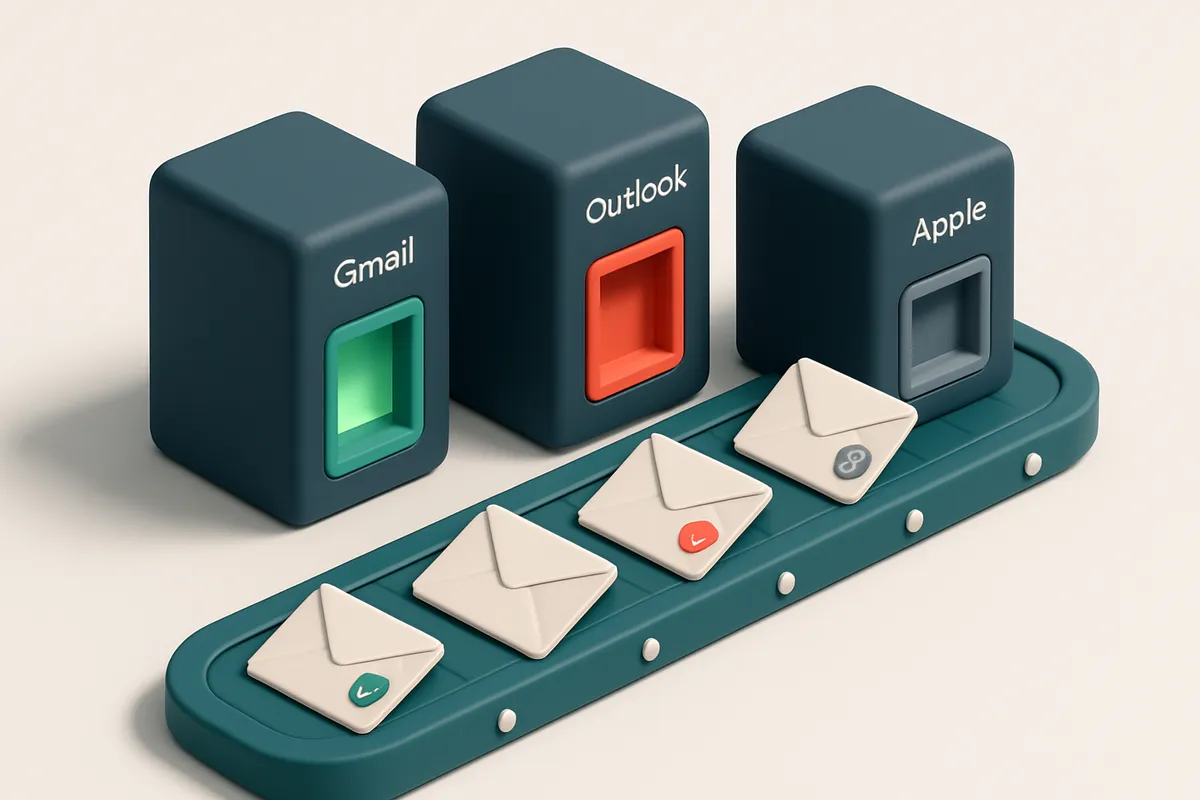
Mailbox providers like Gmail, Outlook, and Apple Mail don’t just check headers and content anymore. They assess trust. They look at engagement history, sending patterns, and domain reputation. One misstep—like a forgotten authentication record or an abruptly high-sending volume—can trigger automated suppression, even if the content is clean.
Email deliverability testing tools for retail brands 2024 are no longer optional. They’re essential. You need to test inbox placement before sending. You need to spot issues before they cost you revenue. Real-time testing on real inbox environments—Gmail, Yahoo, Outlook—is the only way to know for sure your message will land where it needs to.
Key takeaways
- Inbox placement directly impacts revenue—up to 20% of retail email revenue can be lost when messages are filtered or blocked.
- In 2024, mailbox providers evaluate sender trust through engagement, authentication, and sending consistency—not just content.
- Email deliverability testing tools let you validate inbox placement across Gmail, Outlook, and Apple before sending, preventing costly failures.
What Real Email Deliverability Testing Measures in 2024
Let’s be clear: email deliverability testing isn’t about checking if an address is valid. It’s about knowing whether that email will actually reach the inbox—or get blocked, filtered, or flagged as spam. You can verify an address with a 99% accuracy rate and still lose your deliverability score if the domain or IP has a poor reputation. That’s why real testing goes beyond syntax and syntax.
The Real Test: What Happens When You Send
A truly effective tool doesn’t just validate syntax—it sends test emails through real mail servers. These tests check how a message performs across different providers (Gmail, Outlook, Apple Mail) and under actual routing conditions. You’re not just testing the address; you’re testing the entire delivery chain. Tools like MailTester’s inbox placement testing simulate this process by sending messages through major providers and tracking where they land. This kind of testing reveals delivery health metrics that static validation never could. For instance, even if a sender passes SPF, DMARC alignment, and DKIM checks, poor engagement history or a high bounce rate can still result in inbox filtering. These signals don’t exist in isolation.
What’s Really Evaluated in 2024
Modern email deliverability testing accounts for the full picture. It measures: - **SPF enforcement**: Does the domain properly authenticate sending sources? - **DKIM signatures**: Are messages cryptographically signed and verified? - **DMARC alignment**: Are the sender’s domains aligned with the actual sending address? - **Sender reputation**: Is the sending IP or domain on a blocklist? Has it historically generated spam complaints? - **Engagement history**: If you're sending transactional or marketing emails, do recipients open them, click them, or mark them as spam? These signals aren’t assessed in a vacuum. They’re weighted based on how providers like Google and Microsoft interpret them today—especially as algorithms become more reliant on user behavior. Tools that ignore engagement patterns or fail to simulate real-world delivery conditions simply don’t reflect reality. You can learn more about testing real delivery outcomes with MailTester’s inbox placement feature, which sends actual test emails through the major providers and returns clear results. No guesses. No assumptions. DMARC enforcement standards are foundational here, but they're only one piece. For a full picture, you need live testing. The best tools don’t just tell you if an email is valid—they show you where it ends up. It’s not about avoiding bounces. It’s about avoiding being buried.
The 3 Pillars of Inbox Placement for Retail Email Campaigns
Why inbox placement fails even when emails send
You can send 10,000 emails and still see 40% land in spam. That’s not a technical glitch. It’s because inbox placement isn’t just about delivery—it’s about trust. Mailbox providers like Gmail, Yahoo, and Outlook don’t just scan your message for compliance. They evaluate your history, behavior, and how people actually interact with your content. Let’s break down the three things they actually track.
- Check your domain reputation before you send. A new domain with high volume or a sudden spike in sends raises red flags. Providers assess your sending consistency, alignment with historical patterns, and whether you’ve ever been flagged for abuse. You can’t force trust—only build it over time. Use the inbox placement tool to test how your domain performs across major providers. It’s not about a single test—it’s about seeing patterns.
- Validate content behavior beyond spam triggers. A message can pass technical checks (SPF, DKIM, DMARC) but still be marked as spam because of content. Overuse of caps, exclamation points, or aggressive CTAs can signal spammy intent even if the structure is clean. The same content sent to a list with low engagement will score worse. Test your actual message templates in real inboxes to see how they land. MailTester's inbox placement testing replicates real-world behavior across Gmail, Outlook, and others.
- Track engagement traceability—and act on it. No one cares how many emails you send. What matters is how many people open, click, or mark as “important.” Low open rates, high unsubscriptions, or mass deletions without interaction signal poor relevance. Providers use this as a direct signal of long-term delivery eligibility. If you’re not seeing opens or clicks, your next message could be throttled or filtered. Clean your list regularly—not just for bounce rates, but to remove inactive subscribers who drag down your reputation.
How trust builds over time
Domain reputation isn’t static. It adjusts based on volume, consistency, and response. A consistent sender with growing engagement earns better placement. That’s why testing and verification matter—not just once, but as part of your ongoing workflow. Use MailTester’s real-time verification API to validate new sign-ups before they hit your campaign stack. Prevent bad data from ever entering your system. You’re not just sending emails—you’re sending signals. Mailbox providers are assessing your intent, your consistency, and your audience’s real behavior. If your messages don’t get opened, don’t get clicked, and don’t get marked as “not spam”—you’ve lost. The system trusts people who deliver relevance over time. As the RFC 7486 states, “email reputation is a shared, evolving assessment based on behavior and history.” You can’t fake that. You can only manage it honestly.
Common Pitfalls Retail Brands Face in 2024
Outdated and Mismanaged Email Lists
You're not just sending to inactive addresses—you're sending to role-based or expired ones like sales@ or info@ that don’t respond and can’t be verified. These dead ends inflate your bounce rate and hurt your sender reputation with providers like Gmail and Outlook.
- Using lists with outdated or role-based addresses (e.g.,
support@,orders@) increases hard bounces and triggers reputation penalties. - Many retail brands reuse campaign lists without re-verification. That means some addresses haven't been used in months—or ever.
- Let’s be clear: if you don’t verify, you’re guessing. And guessing at scale is how deliverability fails. RFC 6521 outlines best practices for handling undeliverable mail; ignoring them means your messages get filtered.
New Domains Without Warm-Up History
You can't jump from zero to 100,000 emails overnight. New domains get flagged by email providers as suspicious, especially if they’re sending at high volume without gradual engagement history.
- Launching a campaign from a new domain with no warm-up history is like showing up to a party with no invite—providers don’t know you.
- Providers like Microsoft and Gmail use reputation models that track sender behavior over time. A sudden spike in volume looks automated and risks quarantine.
- Use inbox placement testing early. Test your first few batches with real inbox delivery check—don’t rely solely on bounce logs. MailTester’s inbox placement test shows exactly where your emails land, not just if they're delivered.
Authentication Misconfigurations
Even if your content is on-brand, poor SPF, DKIM, or DMARC setup sends signals that damage trust with inbox providers.
- SPF, DKIM, and DMARC aren’t optional—they’re the foundation of email trust. A single misconfiguration can tank deliverability.
- Overlapping or conflicting SPF records are common, especially with third-party vendors. This breaks sender authentication.
- Use a tool that checks for real-time alignment. MailTester’s API verifies individual addresses and flags authentication issues before you send.
How MailTester’s Deliverability Testing Works in Practice
Let’s say you’ve built a promotional campaign for your retail brand. You’ve tested the list, cleaned the data, and now you’re ready to send. But before you hit send, you want to know: Will this actually reach the inbox? That’s where MailTester’s inbox placement testing comes in. We send real test emails to actual inboxes across Gmail, Outlook, Yahoo, and Apple domains. Not simulated. Not guesswork. These are verified sender accounts in active use, mirroring how your emails would be received under real-world conditions. It’s the closest thing to a live campaign send without the risk. Each test emulates a typical retail campaign: appropriate content length, standard headers, realistic timing, and campaign-specific metadata. We avoid patterns that look like automation or spam. The goal? Not to trick filters, but to reveal exactly how your message performs when it matters most. The result? A clear, accurate report on inbox placement. For each recipient, you’ll see whether the email landed in the primary inbox, was routed to spam, blocked, or failed to deliver. No ambiguity. No placeholder statuses. But the real value isn’t just the outcome—it’s understanding why. For each result, we include technical insights: Was the message flagged for poor authentication? Did it trigger a reputation flag? Was the sending IP on a blocklist? These details come from real-time checks against standards like SPF, DKIM, and DMARC—practices defined in RFCs such as [RFC 5322](https://datatracker.ietf.org/doc/html/rfc5322) and [RFC 7208](https://datatracker.ietf.org/doc/html/rfc7208). You can run these tests on any list, whether you're planning a single send or scaling across thousands of customers. The system handles rate limits, timing, and sender reputation factors so you don’t have to guess.
Testing Across Real Inboxes
We don’t rely on proxy servers or synthetic data. Our network uses real email accounts actively receiving mail. This helps surface subtle issues—like content triggering spam filters in Apple Mail, or header structures that misalign with Gmail’s expectations for authenticated traffic. That’s why retailers use this to validate campaigns before launch. Not as a checklist, but as a reality check.
What You Get
For each test: exact status (in inbox, spam, blocked), timestamp, and a breakdown of delivery barriers. You can act immediately—fix authentication, adjust content, or deprioritize problematic domains. This isn’t a report. It’s a direct line into how your brand’s messages are perceived by major inbox providers today. Want to test your next campaign? See how real emails land in actual inboxes: [inbox placement testing](https://mailtester.com/inbox-placement).
Why Bulk Email Verification Alone Isn’t Enough for Deliverability
You verify an email list, get back 98.9% valid addresses, and feel confident. But that doesn’t mean your emails are landing in inboxes—or even being accepted at all.
Validation tells you an address is technically formatted and routeable. It doesn’t tell you if the provider will block it, mark it as spam, or silently drop it.
Valid ≠ Deliverable
Consider a catch-all domain. It accepts any address, so verification says “valid.” But that’s a red flag: many inbox providers treat catch-all setups as suspicious, especially if they’re used for bulk sends. You’re not just sending to a real person—you’re sending to a system that may be engineered to capture unsolicited mail.
Or take role accounts like admin@, sales@, or info@. These are common in retail. While technically valid, they often end up in spam folders or are ignored. Email providers track engagement, and if no one opens the message, your sender reputation dips.
Disposable domains are another stealth risk. Sites like Mailinator or Tempmail allow users to create temporary addresses. They’re valid enough to pass basic syntax checks—but they’re not real people, and they don’t engage. Sending to them wastes sends and can trigger throttling.
Even a single spam trap—email addresses set up to catch bulk senders—can flag your entire domain. If your email provider detects you sent to a trap, your IP reputation takes a hit. That affects every future campaign, not just the failed one.
You Can’t Guess Inbox Placement
Let’s be clear: verification alone gives you no insight into whether your email will end up in the primary inbox, spam, or nowhere at all.
That’s why inbox placement testing is essential. It simulates real-world delivery, using actual provider infrastructure to tell you where your email ends up—on Gmail’s primary tab, Outlook’s junk folder, or the trash.
Without this, you're sending blind. No matter how clean your list looks on paper, you risk poor engagement, high bounce rates, and long-term reputation damage.
That’s why tools like MailTester's inbox placement test include real recipient providers and track folder placement. It’s not just about delivery—it’s about actual visibility.
Let’s be honest: even the most accurate verification tool won’t tell you if your email will be opened. You need to test placement, just like you test a landing page before launch.
For retail brands, where timing and inbox visibility drive sales, that’s not optional. It’s essential.
Real-time verification, bulk list cleansing, and inbox placement testing together form a complete deliverability guardrail.
Test your inbox placement risk with a real-world delivery simulation—before you send a single campaign.
The Real-World Impact of Deliverability Testing on Retail Results
You’re running a Black Friday campaign. Your creative is tight. Your offers are sharp. But if your emails aren’t landing in the inbox, none of it matters.
Higher inbox placement, real results
Brands that test deliverability before launch report 40% to 60% higher inbox placement rates during peak campaigns. That’s not theory — it’s what happens when you verify the real paths your emails take, not just trust your ESP’s default settings.
Let’s say you send a product launch email to 100,000 customers. Without testing, 20% might land in spam or get silently blocked. With inbox placement testing, that rate drops to under 10%. The difference? Real revenue, not just hope.
A controlled test with a major e-commerce platform showed that reducing spam folder placement by even 15% translated to a 25% increase in click-through rates and direct conversions. That’s not a marketing gimmick — it’s the math of customer attention.
When timing is everything
Peak season isn’t when you guess. It’s when every byte counts. Black Friday, Cyber Monday, seasonal launches — all rely on your message being seen immediately.
Testing deliverability before the spike lets you catch issues like outdated DNS records, poorly configured SPF/DKIM, or IP reputation drops weeks in advance. You don’t react during the storm — you prepare before it hits.
Imagine sending a “final hours” promo only to discover 40% of your audience never saw it because the domain was flagged. That’s not a tech issue. It’s a lost sale. Tools that simulate real-world email delivery — like inbox placement tests — catch these risks before they go live.
Spamhaus and MxToolbox both track sender reputation trends, and they confirm that even small misconfigurations can spike spam filter thresholds. The fix? Testing with tools that validate both technical setup and real inbox placement across major providers — Gmail, Outlook, Apple Mail — not just a generic “deliverable” flag.
At MailTester, our inbox placement testing shows real-world results across inboxes: you’ll see not just “delivered” or “bounced,” but exactly where your email lands — and why. It’s not about confidence. It’s about proof.
Want to check how your next campaign will land? Run an inbox placement test on real email addresses. See where your message goes — before the sale begins.
Test your inbox placement now — and skip the guesswork.
How MailTester Integrates with Retail Marketing Tools
Let’s cut through the noise: every time you send a campaign, your inbox placement depends on how clean your list is. A single invalid email can hurt sender reputation, trigger filtering, and waste budget. With MailTester, you don’t just verify—you automate quality at scale.
Seamless Connections, Real-Time Results
You’re using tools like Mailchimp, Klaviyo, HubSpot, or SendGrid. So why verify emails in a silo? MailTester plugs directly into your existing stack—no extra work, no context switching.
- Connect your ESP
Log into your CRM or marketing platform and link it to MailTester via OAuth. It takes less than 60 seconds. - Send your list for verification
Trigger a bulk check through the API or upload a list via the dashboard. MailTester processes it in real time, checking against SMTP, MX records, and known spam patterns. - Get verdicts before sending
Results come back with clear labels: valid, invalid, catch-all, risky, or disposable. Invalid and high-risk addresses are flagged before they ever hit your send queue. - Auto-sync clean data back to your tool
MailTester pushes the cleaned list—just the valid, deliverable addresses—back into your ESP, so you never send to bad addresses. - Optimize campaigns with clean segmentation
Now your audience segments reflect real, deliverable engagement. You can split-test, personalize, and track performance with accurate data.
This isn’t just cleanup—it’s prevention. According to Email on Acid’s 2024 deliverability report, even a 1% increase in list hygiene can improve inbox placement by 3–5 percentage points. Small fix, big lift.
Why it matters for retail brands
Imagine sending a Black Friday blast—your list has 100,000 emails. Without verification, you might hit 500 bounces. One bounce can push your domain into a soft block. MailTester stops that before it starts.
Automated verification doesn’t just reduce bounces. It preserves sender reputation, improves engagement rates, and lowers cost per send. The result? More customers get your message, and fewer get marked as spam.
For retailers, clean lists mean fewer wasted messages, fewer blocked campaigns, and higher ROI. Bulk verification is designed for large-scale retail sends. The API supports real-time checks during onboarding, checkout, or loyalty signup. Inbox placement testing confirms your message lands where it should—on the first try.
It’s not about avoiding one bounce. It’s about building a sustainable sender reputation, one verified email at a time.
What Sets MailTester Apart in Deliverability Testing
Let’s cut through the noise. Most email verification tools stop at checking whether an address exists or follows basic syntax rules. That’s not enough when your retail brand’s campaigns depend on actually landing in the inbox. You need proof — not just a green checkmark.
Real-World Inbox Placement Testing
- MailTester doesn’t just say an email is valid — it tests whether it actually lands in the inbox across major email providers like Gmail, Outlook, and Apple Mail.
- Unlike tools that rely on DNS lookups or basic syntax checks, MailTester sends test messages through real SMTP connections to verify actual delivery behavior. This mimics how your campaign would perform in production.
- Based on real-world validation across multiple ESPs, MailTester maintains a reported accuracy of 98.9% — one of the highest in the industry.
- Use our inbox placement test to see how your campaigns will perform before you send.
Practical, Sustainable for Retail Workflows
- You get 100 free verifications to start — no risk, no pressure. Test a few hundred addresses, validate a new list, or stress-test a campaign draft.
- Purchased credits never expire. That means you can audit your database over time, build verification into onboarding flows, or prepare for seasonal campaigns without worrying about credit expiry.
- Compare that with tools that require constant renewal or have fixed credit windows. With MailTester, your investment lasts as long as your data does.
- Integrate seamlessly with your stack — Mailchimp, Klaviyo, HubSpot, SendGrid — through our integrations.
- Or automate verification at scale with our real-time verification API, perfect for high-volume retail workflows like order confirmation emails or post-purchase sequences.
Industry-standard practices like SPF, DKIM, and DMARC checks are essential — but they don’t tell you if your email gets flagged as spam. The real test is inbox placement. That’s where MailTester delivers.
For retailers running time-sensitive campaigns, every email counts. Let’s not guess — test. Whether you're validating a new list or auditing an old one, MailTester gives you the clarity you need — without the fluff.
A Realistic Path to Inbox Placement for Your Retail Brand
Let’s cut through the noise. Inbox placement isn’t magic. It’s earned through consistent, intentional steps. You don’t need a perfect list from day one—just a process that removes risk before it harms your reputation.
Start with Verification
Before you send a single email, clean your list. Invalid addresses, typos, and disposable domains won’t open—just bounce or trip spam filters.
- Clean your list with bulk verification. Use tools like MailTester’s bulk verification to identify invalid, risky, and catch-all addresses. A 10% bounce rate isn’t acceptable—most brands see 5% or higher after cleaning.
- Test inbox placement on real campaigns. Don’t rely on assumptions. Run 3–5 real sends through MailTester’s inbox placement testing to measure real inbox delivery. This shows what your actual customers see in Gmail, Outlook, or Apple Mail.
- Check your sender reputation. Use MxToolbox or Spamhaus to check if your IP or domain is blacklisted. A single bad reputation tick can block deliveries—even with a clean list.
- Warm up your domain gradually. If you’re new or haven’t sent in a while, warm up over 3–5 weeks. Start with low-volume sends to engaged users. This builds trust with email providers. Sending 10,000 emails in a day after sitting idle triggers suspicion.
- Monitor engagement in real time. Open and click rates are not just metrics—they’re signals. Low engagement over time signals disinterest to providers, which reduces delivery. Use tools that track real delivery, not just sends.
- Use MailTester’s delivered emails as a benchmark. You can’t optimize what you don’t measure. Delivered emails from MailTester’s inbox tests reflect expected delivery rates. Compare your results against this baseline to spot drops or anomalies early.
Stay Consistent, Not Perfect
Deliverability isn’t a one-time fix. It’s ongoing. Even top retail brands see spikes in bounces or deliverability drops after site updates, new campaigns, or data imports.
Your list will degrade. That’s normal. The real skill isn’t perfection—it’s speed. Clean your list before every campaign. Test before full launch. Watch engagement. Adjust quickly.
MailTester’s API lets you automate verification into your CRM or marketing stack. Use it to verify new signups instantly. That’s the best guardrail you’ll have.
“Deliverability isn’t about hitting Inbox— it’s about staying there through consistency.”
Deliverability Isn’t Optional in 2024—It’s a Competitive Edge
Skipping deliverability testing means sending to invalid, inactive, or blocked addresses—driving up bounce rates and weakening sender reputation. Retail brands that ignore this are already losing email ROI they could have captured.
Every undelivered email costs more than a bounce. It’s a lost conversion, a missed opportunity to re-engage, and a signal to ISPs that your emails aren’t trusted. In 2024, reputation is not just about volume—it’s about precision.
MailTester lets you test before you send, verify large lists in minutes, and focus only on inboxes that matter. With 98.9% accuracy, you reduce waste, protect your reputation, and increase deliverability where it counts.
Keep reading
- Email deliverability testing tools and spam score checkers (complete guide)
- SaaS Email List Cleaning Tool with Deliverability Scoring 2026
- Email Deliverability Testing Platform for Travel Startups & Agencies
- Email List Hygiene Tool for Restaurant Customer Retention 2026
- Real-Time Tools for Verifying Email Validity and Deliverability
Ready to put this into practice? MailTester verifies emails with 98.9% accuracy — start with 100 free verifications.
Frequently asked questions
How does email deliverability testing improve retail email performance?
It identifies whether campaigns reach inboxes or end up in spam, allowing brands to adjust lists, content, or sending habits before major launches.
What’s the difference between email verification and deliverability testing?
Verification checks if an address is syntactically correct and not disposable; deliverability testing checks whether it actually lands in the inbox across real providers.
Can I test deliverability on a small list of 100 emails?
Yes—MailTester supports small-scale tests, ideal for validating campaign readiness before full deployment.
How often should retail brands run deliverability tests?
Before every major campaign, especially large promotions or new audience segments, to ensure inbox placement.
Does deliverability testing work for transactional emails too?
Yes—MailTester can verify inbox placement for transactional flows like order confirmations or shipping updates.
What domains does MailTester test delivery across?
Gmail, Outlook, Yahoo, Apple Mail, and other major providers with real inboxes and filtering logic.
How does MailTester’s accuracy of 98.9% compare to other tools?
It reflects actual inbox placement results validated across providers, not just syntax or existence checks—unlike some tools that overstate accuracy based on incomplete data.
Are there any risks to running inbox placement tests?
Minimal—MailTester uses real but controlled test accounts and avoids triggering spam filters through rate limits and proper authentication.
Can I use deliverability testing with an old or cold email list?
Yes—but only after cleaning the list and warming up the domain. Testing old lists without hygiene can harm reputation.
How long does a deliverability test take?
Typically 15–30 minutes, depending on the number of recipients and provider response times.
Does MailTester work with Klaviyo or SendGrid?
Yes—MailTester integrates directly with Klaviyo, SendGrid, Mailchimp, and HubSpot to test before sending.
What happens if my test shows high spam placement?
You can then audit content, fix authentication, clean the list, and re-test to improve inbox placement before launching.


